In fact, Arknights natively supports x86, and in theory, it can run without installing native bridge. The test is successful on remote-android and genymotion. However, I have never run Arknights successfully on waydroid, although I have seen successful examples in many places
I got it running properly myself. I couldn't tell you exactly how, as it runs for me just... by installing it.
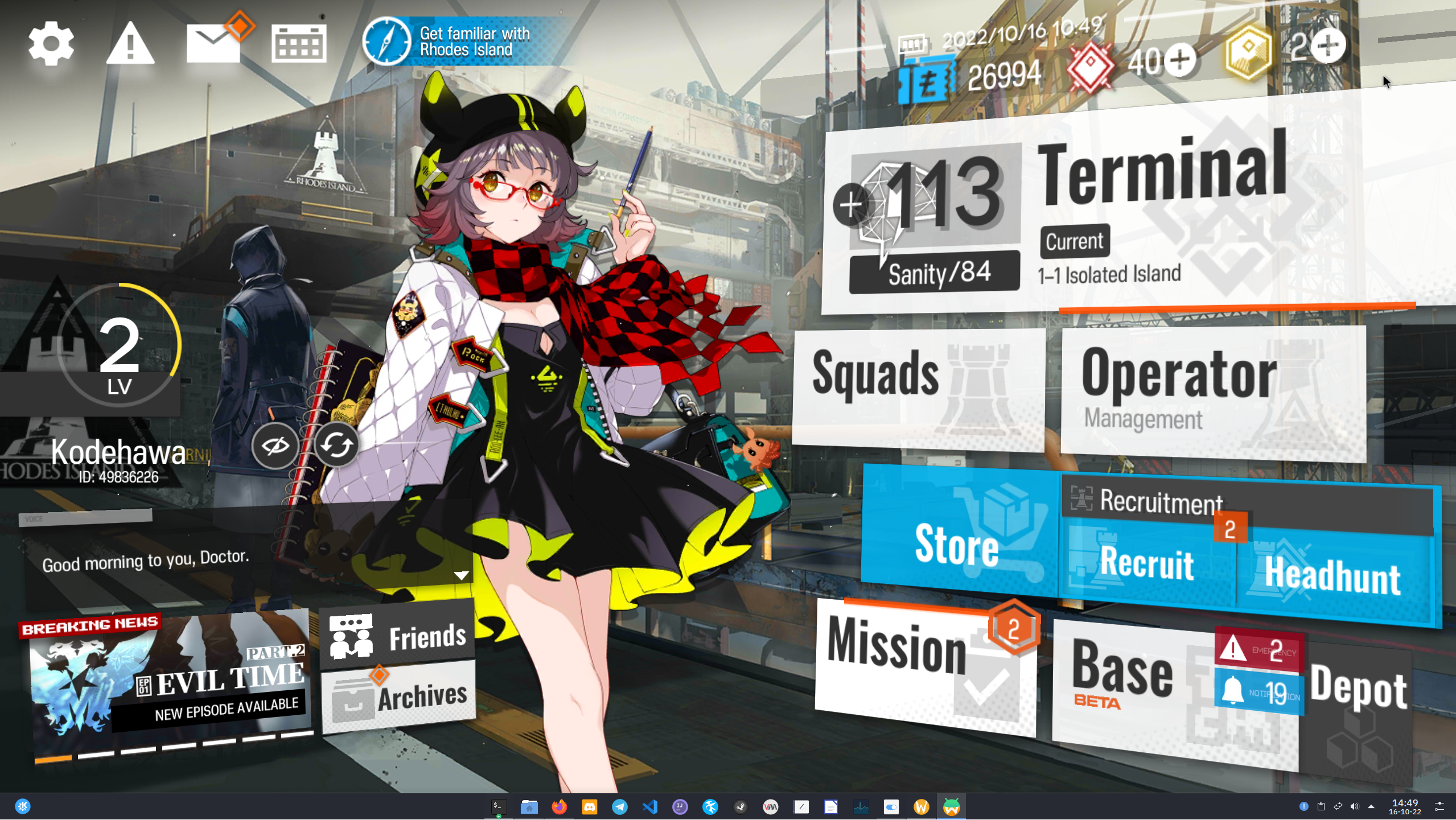
Though I'll admit I didn't really try battle. With libndk Azur Lane works, but it'll randomly (and annoyingly so) crash in battle, while if I have libhoudini enabled, nor Arknights or Azur Lane will even attempt to start, they just stay in a black screen (and it works on Android-x86 8.1 running under QEMU using virgl 3D for both games just fine using libhoudini).
I got it running properly myself. I couldn't tell you exactly how, as it runs for me just... by installing it.

Though I'll admit I didn't really try battle. With `libndk` Azur Lane works, but it'll randomly (and annoyingly so) crash in battle, while if I have `libhoudini` enabled, nor Arknights or Azur Lane will even attempt to start, they just stay in a black screen (and it works on Android-x86 8.1 running under QEMU using virgl 3D for both games just fine using libhoudini).
Tested with both libhoudini and libndk. Both result in black screen after loading. Same applies to punishing grey raven.
It doesn't seem to crash right away, only after it starts to load does it crash.
Using RX 6900 XT GPU on 6.0.6-zen kernel
Tested with both libhoudini and libndk. Both result in black screen after loading. Same applies to punishing grey raven.
It doesn't seem to crash right away, only after it starts to load does it crash.
Using RX 6900 XT GPU on 6.0.6-zen kernel

In fact, Arknights natively supports x86, and in theory, it can run without installing native bridge. The test is successful on remote-android and genymotion. However, I have never run Arknights successfully on waydroid, although I have seen successful examples in many places
It doesn't show up in google play store unless you have arm support. Genymotion runs the machine completely virtually, while waydroid is more direct to the kernel
> In fact, Arknights natively supports x86, and in theory, it can run without installing native bridge. The test is successful on remote-android and genymotion. However, I have never run Arknights successfully on waydroid, although I have seen successful examples in many places
It doesn't show up in google play store unless you have arm support. Genymotion runs the machine completely virtually, while waydroid is more direct to the kernel
In fact, Arknights natively supports x86, and in theory, it can run without installing native bridge. The test is successful on remote-android and genymotion. However, I have never run Arknights successfully on waydroid, although I have seen successful examples in many places
It doesn't show up in google play store unless you have arm support. Genymotion runs the machine completely virtually, while waydroid is more direct to the kernel
Previously, genymotion and remote-android worked fine for me to play Arknights without any native-bridge (libndk or libhoudini) installed. And now I haven't had any issues with the latest waydroid A11 image, neither CN version nor JP version.
> > In fact, Arknights natively supports x86, and in theory, it can run without installing native bridge. The test is successful on remote-android and genymotion. However, I have never run Arknights successfully on waydroid, although I have seen successful examples in many places
>
> It doesn't show up in google play store unless you have arm support. Genymotion runs the machine completely virtually, while waydroid is more direct to the kernel
Previously, genymotion and remote-android worked fine for me to play Arknights without any native-bridge (libndk or libhoudini) installed. And now I haven't had any issues with the latest waydroid A11 image, ~~neither CN version nor JP version.~~
I got it running properly myself. I couldn't tell you exactly how, as it runs for me just... by installing it.
Though I'll admit I didn't really try battle. With libndk Azur Lane works, but it'll randomly (and annoyingly so) crash in battle, while if I have libhoudini enabled, nor Arknights or Azur Lane will even attempt to start, they just stay in a black screen (and it works on Android-x86 8.1 running under QEMU using virgl 3D for both games just fine using libhoudini).
i was able to do the same but not login am stuck on
the open screen yostar one
> I got it running properly myself. I couldn't tell you exactly how, as it runs for me just... by installing it. 
>
> Though I'll admit I didn't really try battle. With `libndk` Azur Lane works, but it'll randomly (and annoyingly so) crash in battle, while if I have `libhoudini` enabled, nor Arknights or Azur Lane will even attempt to start, they just stay in a black screen (and it works on Android-x86 8.1 running under QEMU using virgl 3D for both games just fine using libhoudini).
i was able to do the same but not login am stuck on
the open screen yostar one
I use the A11 image released on October 30th + libhoudini . After I tested all the versions of Arknights, I found that only the CN version works. The rest of the versions will have a black screen.
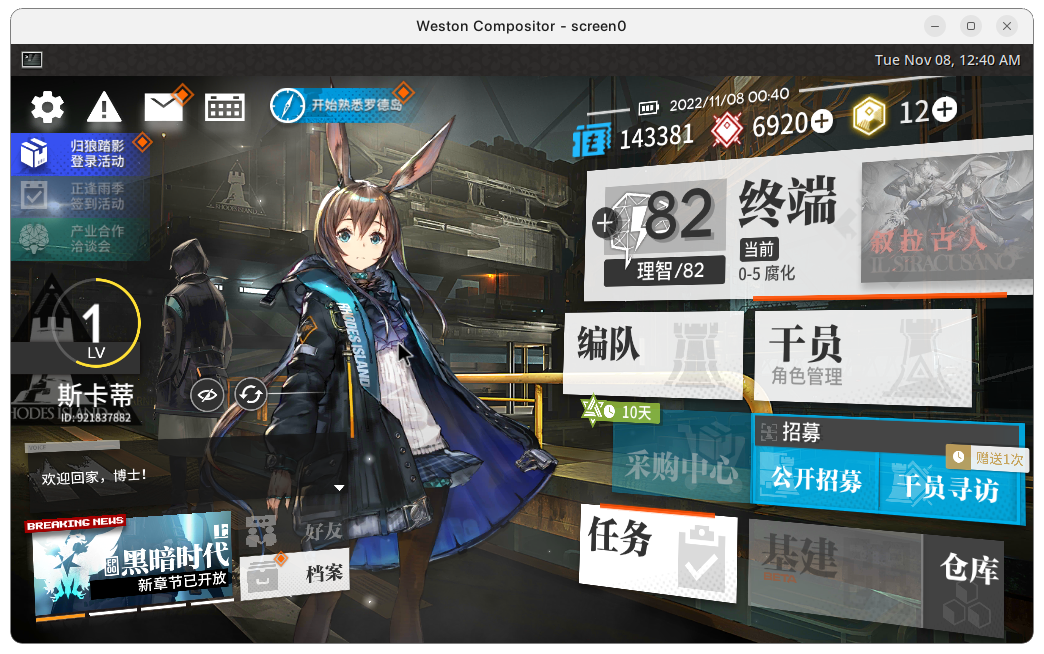
This is the exact opposite of what happening in Honkai 3, where CN crashes while other versions are fine.
I use the A11 image released on October 30th + [libhoudini](https://github.com/natsumerinchan/libhoudini-package) . After I tested all the versions of Arknights, I found that only the CN version works. The rest of the versions will have a black screen.
This is the exact opposite of what happening in Honkai 3, where CN crashes while other versions are fine.

Has anyone here tried blue archive? Mine gets stuck on the initial screen with the company logos nexon games and mx studio
All seem to result with the same issue, stuck at loading screen. Blue Archive, Punishing: grey raven, Arknights, Azur Lane all result with the same issue
> Has anyone here tried blue archive? Mine gets stuck on the initial screen with the company logos nexon games and mx studio
All seem to result with the same issue, stuck at loading screen. Blue Archive, Punishing: grey raven, Arknights, Azur Lane all result with the same issue
Has anyone here tried blue archive? Mine gets stuck on the initial screen with the company logos nexon games and mx studio
All seem to result with the same issue, stuck at loading screen. Blue Archive, Punishing: grey raven, Arknights, Azur Lane all result with the same issue
> > Has anyone here tried blue archive? Mine gets stuck on the initial screen with the company logos nexon games and mx studio
>
> All seem to result with the same issue, stuck at loading screen. Blue Archive, Punishing: grey raven, Arknights, Azur Lane all result with the same issue
This problem is related to data/obb permission. https://t.me/WayDroid/116041
This is a temporary solution
```
chmod 777 -R /sdcard/Android
chmod 777 -R /data/media/0/Android
chmod 777 -R /sdcard/Android/data
chmod 777 -R /data/media/0/Android/obb
chmod 777 -R /mnt/*/*/*/*/Android/data
chmod 777 -R /mnt/*/*/*/*/Android/obb
```
Execute the above commands in `sudo waydroid shell`
Hm, I tried that too but to no avail. To make sure I've done it correctly, at what point do I run the commands? before or straight after starting the game?
I wasn't too sure I ended up running while true; do chmod 777 -R /sdcard/Android /data/media/0/Android /sdcard/Android/data /data/media/0/Android/obb /mnt/*/*/*/*/Android/data /mnt/*/*/*/*/Android/obb; done (in waydroid shell obviously) So maybe it's only supposed to be set once?
> Execute the above commands in `sudo waydroid shell`
Hm, I tried that too but to no avail. To make sure I've done it correctly, at what point do I run the commands? before or straight after starting the game?
I wasn't too sure I ended up running `while true; do chmod 777 -R /sdcard/Android /data/media/0/Android /sdcard/Android/data /data/media/0/Android/obb /mnt/*/*/*/*/Android/data /mnt/*/*/*/*/Android/obb; done` (in `waydroid shell` obviously) So maybe it's only supposed to be set once?
Hm, I tried that too but to no avail. To make sure I've done it correctly, at what point do I run the commands? before or straight after starting the game?
I wasn't too sure I ended up running while true; do chmod 777 -R /sdcard/Android /data/media/0/Android /sdcard/Android/data /data/media/0/Android/obb /mnt/*/*/*/*/Android/data /mnt/*/*/*/*/Android/obb; done (in waydroid shell obviously) So maybe it's only supposed to be set once?
Once is enough. You should run it right after starting waydroid, so before running the game
> > Execute the above commands in `sudo waydroid shell`
>
> Hm, I tried that too but to no avail. To make sure I've done it correctly, at what point do I run the commands? before or straight after starting the game?
>
> I wasn't too sure I ended up running `while true; do chmod 777 -R /sdcard/Android /data/media/0/Android /sdcard/Android/data /data/media/0/Android/obb /mnt/*/*/*/*/Android/data /mnt/*/*/*/*/Android/obb; done` (in `waydroid shell` obviously) So maybe it's only supposed to be set once?
Once is enough. You should run it right after starting waydroid, so before running the game
Ah, right that seems to work 👍 . It does indeed load up now, loading cutscene, and loading game data and stuff.
It crashes when trying to enter the game but I think it might be a different issue. (because testing arknights seems to work fine so i'm guessing it's just blue archive specific)
> Once is enough. You should run it right after starting waydroid, so before running the game
Ah, right that seems to work :+1: . It does indeed load up now, loading cutscene, and loading game data and stuff.
It crashes when trying to enter the game but I think it might be a different issue. (because testing arknights seems to work fine so i'm guessing it's just blue archive specific)
Once is enough. You should run it right after starting waydroid, so before running the game
Ah, right that seems to work +1 . It does indeed load up now, loading cutscene, and loading game data and stuff. It crashes when trying to enter the game but I think it might be a different issue. (because testing arknights seems to work fine so i'm guessing it's just blue archive specific)
The issue with Blue Archive is related to the ffmpeg codecs. Until now, I could only get the Japanese version to run on WayDroid.
> > Once is enough. You should run it right after starting waydroid, so before running the game
>
> Ah, right that seems to work +1 . It does indeed load up now, loading cutscene, and loading game data and stuff. It crashes when trying to enter the game but I think it might be a different issue. (because testing arknights seems to work fine so i'm guessing it's just blue archive specific)
The issue with Blue Archive is related to the ffmpeg codecs. Until now, I could only get the Japanese version to run on WayDroid.
The solution will update after further testing
after installing waydroid
register the device the guide is on the docs of waydroid
after that install, all of the needed pkg am on intel
i did the command once and granted access to arknights which
The solution will update after further testing
after installing waydroid
register the device the guide is on the docs of waydroid
after that install, all of the needed pkg am on intel
i did the command once and granted access to arknights which

I'd like to ask why my arknights keeps crashing randomly (during battle, upgrading operators, visiting friends, etc.) and logcat shows no errors related. I had seen some permission and owner errors on the logs, and then the com.hypergryph.arknights app raised SIGSEGV. I was on Fedora 38 and now I have switched to Ubuntu 22.04.2 and genymotion to avoid this. Could anyone help?
btw if anyone wants to run Arknights (EN version) specifically, in my case downgrading to android 10 helped a lot and haven't had any issues. On second system I tried running it in android 11, but it resulted in black screen on startup and not much else. No gapps, only libhoudini and install from aurora store.
> btw if anyone wants to run Arknights (EN version) specifically, in my case downgrading to android 10 helped a lot and haven't had any issues. On second system I tried running it in android 11, but it resulted in black screen on startup and not much else. No gapps, only libhoudini and install from aurora store.
It's data/obb unreadable problem. Either compile sdcardfs into the kernel, or use this hack https://github.com/casualsnek/waydroid_script#granting-full-permission-for-apps-data-hack
> It's data/obb unreadable problem. Either compile sdcardfs into the kernel, or use this hack https://github.com/casualsnek/waydroid_script#granting-full-permission-for-apps-data-hack
I'm confused. AFAIK, Android is deprecating sdcardfs and migrating to a FUSE-based implementation. [1]
[1] https://source.android.com/docs/core/storage/sdcardfs-deprecate
Waydroid is not AOSP and still supports sdcardfs despite it being deprecated. It just requires manually compiling sdcardfs as a module for the host's kernel.
Does the FUSE-based implementation work on waydroid? In other words, what makes it behave differently between Android 10 and Android 11? If I remember correctly, we didn't need sdcardfs in the host's kernel before.
> It's data/obb unreadable problem. Either compile sdcardfs into the kernel, or use this hack https://github.com/casualsnek/waydroid_script#granting-full-permission-for-apps-data-hack
https://t.me/WayDroid/116041
https://t.me/WayDroid/116048
https://t.me/WayDroid/116056
I think I've explained it well enough.
1. use sdcardfs.
3. use esdfs.
3. grant data/obb permissions
so guys have you gutys like considered using um containers for this am in a very like lwo system despite it working it seemes that using linux mint helps alot
When i complete downloading nodataperm.zip, i get warning.
100%|████████████████████████████| 7.28M/7.28M [00:03<00:00, 2.03MiB/s]
WARN: md5 mismatches, redownloading now ....
100%|████████████████████████████| 7.28M/7.28M [00:02<00:00, 3.27MiB/s]
WARN: md5 mismatches, redownloading now ....
> It's data/obb unreadable problem. Either compile sdcardfs into the kernel, or use this hack https://github.com/casualsnek/waydroid_script#granting-full-permission-for-apps-data-hack
When i complete downloading nodataperm.zip, i get warning.
```
100%|████████████████████████████| 7.28M/7.28M [00:03<00:00, 2.03MiB/s]
WARN: md5 mismatches, redownloading now ....
100%|████████████████████████████| 7.28M/7.28M [00:02<00:00, 3.27MiB/s]
WARN: md5 mismatches, redownloading now ....
```
Before I create the PR, you can refer to these two lines to edit the local script file.
> > It's data/obb unreadable problem. Either compile sdcardfs into the kernel, or use this hack https://github.com/casualsnek/waydroid_script#granting-full-permission-for-apps-data-hack
>
> When i complete downloading nodataperm.zip, i get warning.
>
> ```
> 100%|████████████████████████████| 7.28M/7.28M [00:03<00:00, 2.03MiB/s]
> WARN: md5 mismatches, redownloading now ....
> 100%|████████████████████████████| 7.28M/7.28M [00:02<00:00, 3.27MiB/s]
> WARN: md5 mismatches, redownloading now ....
> ```
https://github.com/ayasa520/waydroid_script/blob/rikka_main/stuff/nodataperm.py#L16-L17
Before I create the PR, you can refer to these two lines to edit the local script file.
Unluckily, there is a new problem. I managed to install the hack, but i failed to start a waydroid session.
Well, i uninstall nodataperm, and instead, i pick your temporary solution in waydroid shell.
Now my ArknightsCN and AzurelaneCN work.
> Before I create the PR, you can refer to these two lines to edit the local script file.
Thanks, i edit the local script.
Now it works well.
Besides these two lines you've mentioned, another line should change as well.
```
def copy(self):
extract_path = os.path.join(
- self.extract_to, "hack_full_data_permission-main")
+ self.extract_to, "hack_full_data_permission-d4beab7780eb792059d33e77d865579c9ee41546")
if not container.use_overlayfs():
services_jar = os.path.join(
self.copy_dir, self.partition, "framework", "services.jar")
```
Unluckily, there is a new problem. I managed to install the hack, but i failed to start a waydroid session.
Well, i uninstall nodataperm, and instead, i pick your temporary solution in waydroid shell.
Now my ArknightsCN and AzurelaneCN work.
Nothing mentioned in this issue solves the problem for me. It runs with libndk but crashes after 30 seconds mid-download. libhoudini doesn't run at all - stuck on the initial logo screen. Permission changes do not help.
Nothing mentioned in this issue solves the problem for me. It runs with `libndk` but crashes after 30 seconds mid-download. `libhoudini` doesn't run at all - stuck on the initial logo screen. Permission changes do not help.
Nothing mentioned in this issue solves the problem for me. It runs with libndk but crashes after 30 seconds mid-download. libhoudini doesn't run at all - stuck on the initial logo screen. Permission changes do not help.
> Nothing mentioned in this issue solves the problem for me. It runs with libndk but crashes after 30 seconds mid-download. libhoudini doesn't run at all - stuck on the initial logo screen. Permission changes do not help.
https://github.com/casualsnek/waydroid_script/issues/257
it actually does 😄 i was testing with my friend and we got x86 binaries just spoofing user agent to "Google Play Games PC" on Aurora Store
<img width="632" height="184" alt="Image" src="https://github.com/user-attachments/assets/37344240-1ce6-48d4-8830-5a6b71bff60d" />
Try switch libndk with libhoudini or wise-versa. I don't remember which, but I also crash in the downloading screen with one of them.
Thanks! I am using libhoudini and it worked... eventually. I just had to keep re-launching the game after every crash on the download screen until the download completed, then it actually runs without any crashes in-game.
> Try switch `libndk` with `libhoudini` or wise-versa. I don't remember which, but I also crash in the downloading screen with one of them.
Thanks! I am using libhoudini and it worked... eventually. I just had to keep re-launching the game after every crash on the download screen until the download completed, then it actually runs without any crashes in-game.
Blocking a user prevents them from interacting with repositories, such as opening or commenting on pull requests or issues. Learn more about blocking a user.
arknights still crashes even tho i have arm support
Have you tried both
libndkandlibhoudini?Where exactly does it crash? During opening the app?
In fact, Arknights natively supports x86, and in theory, it can run without installing native bridge. The test is successful on remote-android and genymotion. However, I have never run Arknights successfully on waydroid, although I have seen successful examples in many places
I got it running properly myself. I couldn't tell you exactly how, as it runs for me just... by installing it.

Though I'll admit I didn't really try battle. With
libndkAzur Lane works, but it'll randomly (and annoyingly so) crash in battle, while if I havelibhoudinienabled, nor Arknights or Azur Lane will even attempt to start, they just stay in a black screen (and it works on Android-x86 8.1 running under QEMU using virgl 3D for both games just fine using libhoudini).Tested with both libhoudini and libndk. Both result in black screen after loading. Same applies to punishing grey raven.
It doesn't seem to crash right away, only after it starts to load does it crash.
Using RX 6900 XT GPU on 6.0.6-zen kernel
It doesn't show up in google play store unless you have arm support. Genymotion runs the machine completely virtually, while waydroid is more direct to the kernel
Previously, genymotion and remote-android worked fine for me to play Arknights without any native-bridge (libndk or libhoudini) installed. And now I haven't had any issues with the latest waydroid A11 image,
neither CN version nor JP version.i was able to do the same but not login am stuck on
the open screen yostar one
I use the A11 image released on October 30th + libhoudini . After I tested all the versions of Arknights, I found that only the CN version works. The rest of the versions will have a black screen.

This is the exact opposite of what happening in Honkai 3, where CN crashes while other versions are fine.
I don't think this issue will be resolved anytime soon, and I recommend using BlissOS 14.10 within QEMU if the need arises.
https://t.me/WayDroid/116041
https://t.me/WayDroid/116056
Probably a data/obb permission issue
Has anyone here tried blue archive? Mine gets stuck on the initial screen with the company logos nexon games and mx studio
All seem to result with the same issue, stuck at loading screen. Blue Archive, Punishing: grey raven, Arknights, Azur Lane all result with the same issue
This problem is related to data/obb permission. https://t.me/WayDroid/116041
This is a temporary solution
Execute the above commands in
sudo waydroid shellAwesome! Thank you a ton @ayasa520 !
Hm, I tried that too but to no avail. To make sure I've done it correctly, at what point do I run the commands? before or straight after starting the game?
I wasn't too sure I ended up running
while true; do chmod 777 -R /sdcard/Android /data/media/0/Android /sdcard/Android/data /data/media/0/Android/obb /mnt/*/*/*/*/Android/data /mnt/*/*/*/*/Android/obb; done(inwaydroid shellobviously) So maybe it's only supposed to be set once?Once is enough. You should run it right after starting waydroid, so before running the game
Ah, right that seems to work 👍 . It does indeed load up now, loading cutscene, and loading game data and stuff.
It crashes when trying to enter the game but I think it might be a different issue. (because testing arknights seems to work fine so i'm guessing it's just blue archive specific)
The issue with Blue Archive is related to the ffmpeg codecs. Until now, I could only get the Japanese version to run on WayDroid.
The solution will update after further testing

after installing waydroid
register the device the guide is on the docs of waydroid
after that install, all of the needed pkg am on intel
i did the command once and granted access to arknights which
how ever it seems like i have a problem with sound
try increasing media volume in android settings
it fully works for me now i have long uninstall waydroid since i dont have much spacxe since my compt is a very low end pc
I'd like to ask why my arknights keeps crashing randomly (during battle, upgrading operators, visiting friends, etc.) and logcat shows no errors related. I had seen some permission and owner errors on the logs, and then the com.hypergryph.arknights app raised SIGSEGV. I was on Fedora 38 and now I have switched to Ubuntu 22.04.2 and genymotion to avoid this. Could anyone help?
I was running on x86_64 natively without libhoudini or libndk.
btw if anyone wants to run Arknights (EN version) specifically, in my case downgrading to android 10 helped a lot and haven't had any issues. On second system I tried running it in android 11, but it resulted in black screen on startup and not much else. No gapps, only libhoudini and install from aurora store.
It's data/obb unreadable problem. Either compile sdcardfs into the kernel, or use this hack https://github.com/casualsnek/waydroid_script#granting-full-permission-for-apps-data-hack
I'm confused. AFAIK, Android is deprecating sdcardfs and migrating to a FUSE-based implementation. [1]
[1] https://source.android.com/docs/core/storage/sdcardfs-deprecate
Waydroid is not AOSP and still supports sdcardfs despite it being deprecated. It just requires manually compiling sdcardfs as a module for the host's kernel.
Does the FUSE-based implementation work on waydroid? In other words, what makes it behave differently between Android 10 and Android 11? If I remember correctly, we didn't need sdcardfs in the host's kernel before.
https://t.me/WayDroid/116041
https://t.me/WayDroid/116048
https://t.me/WayDroid/116056
I think I've explained it well enough.
so guys have you gutys like considered using um containers for this am in a very like lwo system despite it working it seemes that using linux mint helps alot
but thx guy for responding did not expect a lot of people are actually also playing arknignts
When i complete downloading nodataperm.zip, i get warning.
https://github.com/ayasa520/waydroid_script/blob/rikka_main/stuff/nodataperm.py#L16-L17
Before I create the PR, you can refer to these two lines to edit the local script file.
Thanks, i edit the local script.
Now it works well.
Besides these two lines you've mentioned, another line should change as well.
Unluckily, there is a new problem. I managed to install the hack, but i failed to start a waydroid session.
Well, i uninstall nodataperm, and instead, i pick your temporary solution in waydroid shell.
Now my ArknightsCN and AzurelaneCN work.
Should we close the issue now that support is added
Nothing mentioned in this issue solves the problem for me. It runs with
libndkbut crashes after 30 seconds mid-download.libhoudinidoesn't run at all - stuck on the initial logo screen. Permission changes do not help.https://github.com/casualsnek/waydroid_script/issues/257
do arknights still support native x86?
no
it actually does 😄 i was testing with my friend and we got x86 binaries just spoofing user agent to "Google Play Games PC" on Aurora Store
Is there any update on this? For me the game launches but crashes every single time after about 30 seconds
Try switch
libndkwithlibhoudinior wise-versa. I don't remember which, but I also crash in the downloading screen with one of them.Thanks! I am using libhoudini and it worked... eventually. I just had to keep re-launching the game after every crash on the download screen until the download completed, then it actually runs without any crashes in-game.