mirror of
https://github.com/lildude/ha-addon-teslamate.git
synced 2026-10-13 13:10:30 -04:00


TeslaMate Addon for Home Assistant
This addon builds on the excellent work of Adrian Kumpf. See his repo for information regarding the TeslaMate application.
DB Connection
If using the Postgres addon from this repo, the database host is 29b65938-postgres
Grafana Configuration
I recommend you use the existing Grafana addon from the community addons
NEW - Automatic dashboard uploading!
Data Source
Configure a PostgreSQL data source as follows:
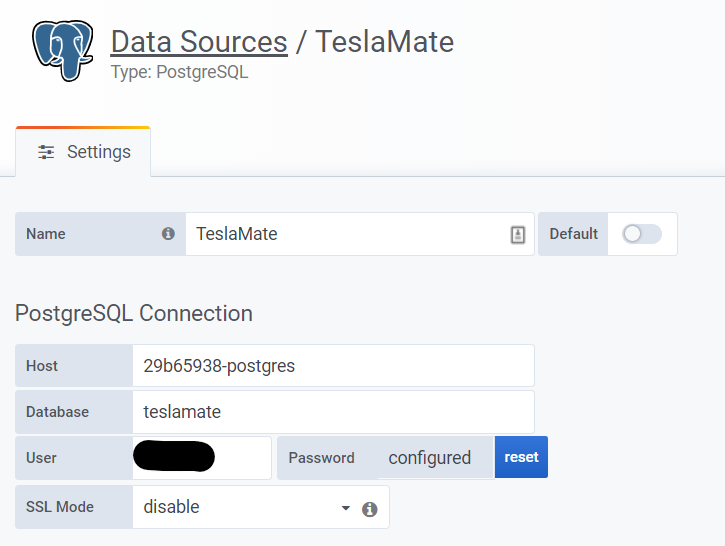
Uploading Dashboards
Configure the Grafana addon and set the admin username and password:
env_vars:
  - name: GF_SECURITY_ADMIN_USER
    value: admin
  - name: GF_SECURITY_ADMIN_PASSWORD
    value: mysecretpassword
Now configure the Teslamate addon:
grafana_import_dashboards: true
grafana_folder_name: "TeslaMate"
grafana_host: "a0d7b954-grafana" # this is correct if you use the community addon
grafana_port: 3000               # this is correct if you use the community addon
grafana_user: "admin"
grafana_pass: "pass"